 2 Days ago
 Posted on Google
 2 Days ago
Posted on Google
2 Days ago
Posted on Google 2 Days ago
Posted on Google
2 Days ago
Posted on Google 3 Days ago
Posted on Google
3 Days ago
Posted on Google 3 Days ago
Posted on Google
3 Days ago
Posted on Google 3 Days ago
Posted on Google
3 Days ago
Posted on Google 3 Days ago
Posted on Google
3 Days ago
Posted on Google 3 Days ago
Posted on Google
3 Days ago
Posted on Google 3 Days ago
Posted on Google
3 Days ago
Posted on GoogleThe ultimate guide to monitor selection
Find the perfect monitor for your needs with our expert tips and recommendations
 14.06.2023
Monitors are an essential part of our lives, whether we use them for work or play. With so many options on the market, choosing the perfect monitor for your needs can be a daunting task. The right monitor can boost your productivity and enhance your gaming experience, while a poorly matched monitor can cause discomfort and frustration.
In this ultimate guide to choosing the perfect monitor for your needs, we'll discuss the different types of monitors, display quality factors such as resolution and contrast, size and aspect ratios, image reproduction considerations, and how to use them.In this guide, we'll explore the different types of monitors, such as resolution and contrast, size and aspect ratio considerations, refresh rates and response times that are essential for gamers, and connectivity features that will allow you to get the most out of your monitor.
By thoroughly understanding these elements, you can make an informed decision when purchasing a new monitor that meets all of your needs.
Types of monitors: Which one is right for you?
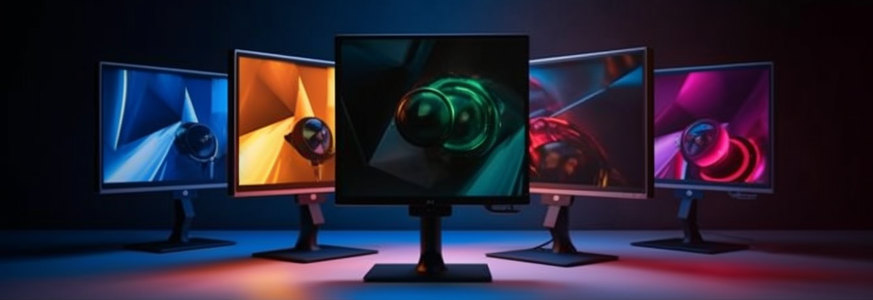 A thorough understanding of the different types of monitors on the market is critical to making an informed decision that meets your specific needs. One factor to consider when choosing a monitor is the panel technology, which affects image quality and viewing angles.
The most common types are twisted nematic (TN), in-plane switching (IPS), vertical alignment (VA) and organic light emitting diode (OLED). TN panels are the cheapest and offer fast response times, making them ideal for gaming or other activities that require fast movement. However, they have narrow viewing angles and poor color accuracy compared to other technologies.
IPS panels are more expensive, but offer better color reproduction and wider viewing angles, making them suitable for graphic design or photo editing. Another factor to consider is ergonomic design, especially if you'll be staring at your screen for long hours. Some monitors have adjustable stands that allow you to tilt or rotate the screen, while others have built-in blue light filters that reduce eye strain.
It's important to choose a monitor that offers comfortable viewing positions and reduces the risk of neck or back pain during extended use. Choosing the right type of monitor depends on your specific needs and preferences. Whether you prioritize image quality or ergonomics, considering panel technology and ergonomic design can help you find the perfect monitor for your workspace.
,no_upscale(),format(png)/prod/5/2/0/imp_1_520482.jpg "Philips Monitor 27E1N1300AE/00")
,no_upscale(),format(png)/prod/5/8/9/imp_1_589064.jpg "AOC Monitor 24G42E")
 149.00
,no_upscale(),format(png)/prod/8/5/1/imp_1_851377.jpg "Samsung Monitor Odyssey G50F")
,no_upscale(),format(png)/prod/8/5/9/imp_1_859281.jpg "Iiyama Monitor G-Master GB2471HS-B1")
,no_upscale(),format(png)/prod/8/3/9/bimg_839155_526bffd6d685674348ab47fe3c37feaa2403f5db.jpeg "Verbatim Keynote Presenter LCD Display")
,no_upscale(),format(png)/prod/8/3/9/imp_1_839156.jpg "Verbatim Agenda Presenter Laser Pointer")
Display quality: understanding resolution, color and contrast.
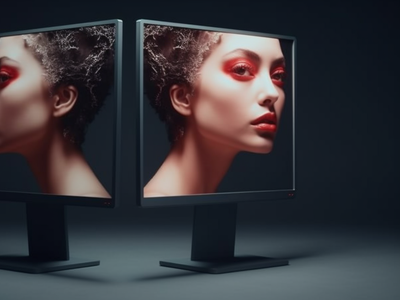 Understanding the technical aspects of display quality, such as resolution, color accuracy, and contrast ratio, is critical when choosing a monitor that meets your specific needs.
Resolution refers to the number of pixels on the screen and determines the clarity of the images displayed. A higher resolution means sharper images. However, it is important to note that the higher the resolution, the smaller the images appear on the screen.
Color accuracy is another important aspect to consider when choosing a monitor. This refers to how well a monitor can reproduce colors compared to what content creators intended. Color calibration ensures that the colors displayed are accurate and consistent across different devices.
In addition, viewing angles determine how well you can see what's on your screen from different positions without color distortion or loss of brightness.
Overall, understanding these technical aspects will help you make informed decisions about your monitor choice and ensure it meets your specific needs. Other factors such as refresh rate and response time may also play a role depending on what you plan to use your monitor for. Taking all of these factors into consideration will ensure that you get a high-quality screen that will enhance your user experience, whether you're playing games or working with graphic design applications.
Size and aspect ratio: finding the right fit.
Choosing the appropriate size and aspect ratio of a monitor is critical to an optimal viewing experience, as it determines the amount of information you can display on the screen at one time. The size of a monitor is determined by its diagonal measurement, which typically ranges from 21 inches to 32 inches or more.
When selecting a monitor size, factors such as desk space, viewing distance, and monitor placement should be considered.
In addition to size, aspect ratio is another important factor when selecting a monitor. Aspect ratio refers to the proportional relationship between the width and height of a display screen.
The most common aspect ratios for monitors are 16:9 (widescreen) and 4:3 (standard).
Widescreen monitors offer a wider horizontal view that is ideal for multitasking or watching movies. Standard monitors, on the other hand, offer more vertical space, which can be useful for tasks like reading documents or coding.
Ergonomic considerations should also be taken into account when determining the appropriate size and aspect ratio.
For example, if you work at a computer for long periods of time during the day, it's important to choose a monitor that allows you to maintain proper posture while using it. This means choosing a monitor with adjustable height settings or using an external stand to adjust its position accordingly.
By considering these factors when choosing your next monitor, you can ensure an optimal viewing experience that meets both your personal preferences and professional needs.
Refresh rates and response times: Essential features for gamers.
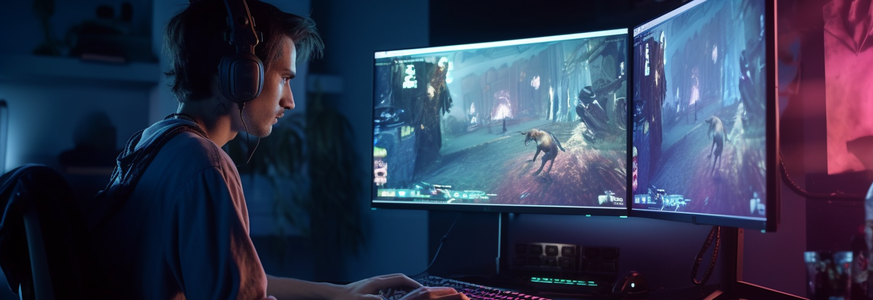 Refresh rates and response times are like the heartbeat of a gaming monitor, determining how smoothly and quickly the screen updates to keep up with fast-paced gameplay. A high refresh rate provides a smoother image that reduces motion blur and eye strain during intense gaming sessions. Response time also plays an important role in gaming monitors, as it measures how quickly pixels can change from black to white or from one shade of gray to another. The faster the response time, the less likely it is that ghosting or motion blur will occur.
Input lag and ghosting can be significant distractions in competitive games. Input lag refers to the delay between pressing a key on your keyboard or controller and that action appearing on the screen. Ghosting occurs when an image lingers on your display after you move away from it, causing visual artifacts in games with fast movements or transitions. For gamers who prioritize reducing these distractions, look for monitors with low input lag and minimal ghosting.
Adaptive Sync and G Sync are two technologies designed to improve visual performance in games by synchronizing your graphics card's output with your monitor's refresh rate. Adaptive Sync is an open standard technology that works with both AMD Radeon and Nvidia GeForce graphics cards, while G Sync is exclusive to Nvidia graphics cards but provides more precise synchronization between them. Both technologies reduce screen tearing, judder, and other visual anomalies that occur when playing games at higher frame rates than the monitor can handle.
Overall, choosing a monitor with a high refresh rate, fast response time, low input lag, minimal ghosting, and compatibility with Adaptive Sync technology will give you the smoothest gaming experience during gameplay.
Connectivity and additional features: Get the most out of your monitor.
Connectivity options and additional features are important considerations when looking for a gaming monitor that can enhance your overall experience. One feature to consider is integrated speakers. While many gamers prefer separate audio gear, integrated speakers can be handy for those who want a simplified setup. However, it's important to note that the sound quality of integrated speakers may not match dedicated audio equipment.
Another aspect to consider when choosing a gaming monitor is the ergonomic design. If the monitor isn't positioned correctly or doesn't offer adjustment options, it can cause strain on your eyes, neck, and back during long hours in front of the screen. An ergonomic monitor allows you to adjust its height, tilt angle and swivel position according to your preference. Additionally, some monitors have anti-glare coatings or blue light filters that reduce eye strain and improve visual comfort during extended periods of use.
When shopping for a gaming monitor with connectivity options and additional features, it's important to carefully evaluate your needs before making a purchase decision. Think about how you plan to use your monitor and what features would benefit you the most. Whether it's built-in speakers or an ergonomic design, these additional features can make all the difference in enhancing your gaming experience and keeping you comfortable during long sessions.
,no_upscale(),format(png)/prod/5/7/1/bimg_571684_832cc3f856304a9271d96c9b39b08bfdb6c29cdd.jpg "Hp inc. HP Monitor 734pm")
,no_upscale(),format(png)/prod/5/2/8/imp_1_528159.jpg "Dell Monitor P2425H")
,no_upscale(),format(png)/prod/5/5/6/bimg_556661_0d7948913be475302f5b172d5af72df820b6cb75.jpg "Samsung Monitor Odyssey OLED G9 LS49DG954SUXEN")
,no_upscale(),format(png)/prod/3/1/1/bimg_311621_197782382_xxl3.jpg "Philips 242B1TC / 00 touch")
,no_upscale(),format(png)/prod/4/8/9/imp_1_489578.jpg "Samsung Monitor Odyssey Neo G9 S57CG952NU")
,no_upscale(),format(png)/prod/5/4/5/imp_1_545865.jpg "Benq Monitor BL2790T")
,no_upscale(),format(png)/prod/5/8/9/imp_1_589062.jpg "Hp inc. HP Monitor Series 5 Pro 524pu")
,no_upscale(),format(png)/prod/7/8/1/imp_1_781592.jpg "Philips Monitor 222S9JML/00")
,no_upscale(),format(png)/prod/7/7/9/imp_1_779119.jpg "Philips Monitor 24M2N3200NF/00")
,no_upscale(),format(png)/prod/7/6/1/imp_1_761057.jpg "ASUS Monitor VG27AQML5A")
,no_upscale(),format(png)/prod/7/8/1/imp_1_781595.jpg "Philips Monitor 27E1N1200A/00")
,no_upscale(),format(png)/prod/8/4/8/imp_1_848677.jpg "Minix SF10T Touch")
,no_upscale(),format(png)/prod/6/9/9/imp_1_699484.jpg "Iiyama Monitor G-Master GC2480HSU-B1")
,no_upscale(),format(png)/prod/8/3/9/imp_1_839280.jpg "Arozzi Nova 32 IPS 180Hz - forest green")
,no_upscale(),format(png)/prod/8/2/7/imp_1_827508.jpg "ASUS Monitor TUF Gaming VG249Q5R")
,no_upscale(),format(png)/prod/8/3/8/imp_1_838427.jpg "ASUS Monitor TUF Gaming VG259QM5A")
,no_upscale(),format(png)/prod/8/3/8/imp_1_838428.jpg "ASUS Monitor Eye Care VZ249HG")
,no_upscale(),format(png)/prod/7/8/2/imp_1_782634.jpg "ASUS ROG Strix XG32UCWMG Monitor")